
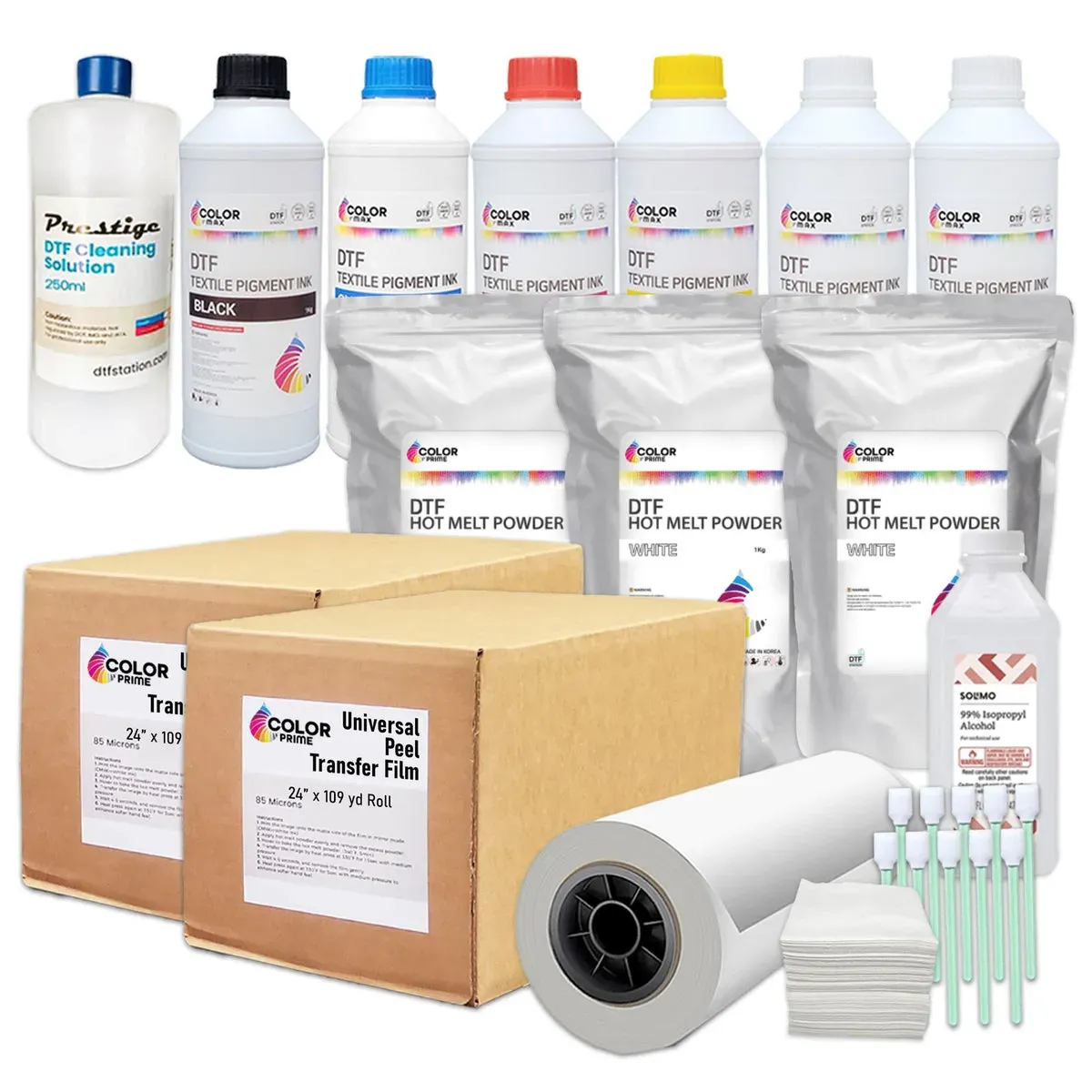
DTF supplies power every successful direct-to-film project, guiding you from setup to production as you build confidence. Understanding DTF printing basics helps you choose the right film, ink, and hardware before you start. From DTF transfer film to DTF ink and powders, the lineup you assemble sets the stage for vibrant colors and durable transfers. A reliable DTF printer setup and a well-tuned heat press for DTF ensure consistent results across sessions and fabrics. By mapping out the workflow early, you will save time, reduce waste, and print like a pro even when you are just starting.
Beyond branding, the core components are printer, inks, films, powders, and a reliable heat source for finishing. Framing the operation as a film-to-fabric pipeline helps newcomers visualize the sequence and choose compatible consumables. Focus on material compatibility, color management, and steady workflows rather than chasing every latest gadget. By learning the relationships among print media, adhesive powders, curing methods, and press settings, you can scale from hobby projects to small runs.
Understanding DTF Printing Basics
DTF printing basics describe a workflow that begins with printing designs onto PET transfer film using a dedicated white ink layer and color inks, followed by applying adhesive powder and curing it before transfer. This sequence enables bright colors, solid opacity on dark fabrics, and a relatively forgiving workflow for small runs. Grasping these basics helps you map a practical setup, from the type of DTF printer and inks to the right heat press and post-transfer care.
Beyond the printer and film, success depends on a repeatable process and quality DTF supplies. Align your film, powders, inks, and heat transfer parameters to minimize surprises and batch-to-batch variation. As you experiment, document settings, maintain a clean workspace, and build a reliable routine for proofing, color management, and curing.
Choosing the Right DTF Transfer Film for Crisp Details
DTF transfer film selection directly impacts detail, color fidelity, and durability. Look for films with high opacity, strong white ink holdout, and consistent feed through the printer to maintain edge sharpness and accurate color reproduction. The right film also helps prevent feathering and keeps the transfer looking clean after multiple washes.
Test multiple DTF transfer film options with your chosen ink and substrates, and record how each behaves on dark and light fabrics. Note how film thickness interacts with powder adhesion and curing time, then adjust pre-press and transfer settings accordingly. A small batch of tests helps you identify optimal combinations for different garment colors and fabrics.
Selecting DTF Ink and White Ink Quality for Vivid Results
DTF ink quality, especially white ink, determines how colors pop on dark fabrics. Seek an ink set with strong opacity, fast drying, and minimal feathering, paired with reliable color inks to cover a wide gamut. Regularly inspect ink reservoirs and perform routine maintenance to prevent clogging and color shifts.
Maintain consistent performance by storing inks properly, conducting purge cycles if available, and scheduling head-cleaning routines. A stable ink workflow reduces color drift and improves repeatability across runs. When white ink performance declines, adjust density or print settings and run calibration tests to restore vibrancy.
DTF Printer Setup: Calibrations, Profiles, and Color Management
DTF printer setup begins with color calibration, media settings, and head alignment. Configure the printer with an ICC profile matched to your transfer film and ink set, and verify film path stability and substrate feed. Document the settings used for each batch so you can reproduce results reliably across jobs.
Leverage RIP software and color management tools to fine-tune profiles, manage color delays, and ensure accurate color conversion for your chosen film and ink. Maintain a log of profiles used for different fabrics and orders, and run regular test prints to confirm color accuracy before production. Consistency in color management is essential for repeatable DTF output.
Optimizing Heat Press for DTF: Temperature, Time, and Pressure
The heat press is where your design becomes a wearable item, so temperature, time, and pressure must be tuned for fabric type and film thickness. Start with an initial range around 180-190°C (356-374°F) for 15-20 seconds with medium to firm pressure, then adjust based on film guidelines and scrap tests. Use a cover sheet to protect the garment and ensure even heat distribution.
Different fabrics respond differently, so pre-press the garment to remove moisture and wrinkles before the transfer. Record results for various substrates and weight classes to achieve clean edges, minimal gloss, and durable washes. Always follow film and powder manufacturer guidelines and test on scrap textiles before large runs.
DTF Supplies Starter Kit: Essentials for Beginners
DTF supplies form the foundation of a reliable workflow. A practical starter kit should include a dedicated DTF printer with true DTF ink, compatible transfer film, adhesive powder, a curing oven or heat tunnel, a calibrated heat press, PPE, a clean workspace, and a basic RIP/color-management setup. Stock spare parts and cleaning supplies to minimize downtime and keep production moving.
As you test and scale, document your results to build a repeatable process. Invest in reliable brands to minimize feed issues, film path misalignment, or powder clumping; maintain the equipment, keep the film path clean, and perform regular maintenance to extend life and protect print quality. Building a solid DTF supplies foundation now pays dividends as you grow.
Frequently Asked Questions
What are the essential DTF supplies to start a successful DTF printing operation, and how does proper DTF printer setup affect your results?
DTF supplies form the backbone of a reliable workflow. Start with a compatible DTF printer setup, high‑quality DTF transfer film, and properly tuned DTF inks, including white ink for dark fabrics. Don’t forget a dependable heat press for DTF and basic workspace PPE. Regularly maintain equipment and run test prints to establish a repeatable process from setup to finished garments.
How do I choose the right DTF transfer film to maximize color brightness and wash-fastness in DTF printing basics?
Choosing the right DTF transfer film is critical for sharp details and durable transfers. Look for films with high opacity, good wash-fastness, and consistent feed through your printer. Run controlled test prints on representative textiles and document results to reproduce reliable outcomes across projects.
What should I know about DTF ink and white ink quality for printing on dark fabrics?
DTF ink quality is key to color fidelity, especially white ink for dark fabrics. Ensure white ink offers strong opacity and quick drying, while color inks provide a broad color gamut. Regular printer maintenance helps maintain consistent ink flow and accurate color across batches.
What are best practices for DTF printer setup and color management to ensure consistent production?
A solid DTF printer setup underpins reliable color management. Calibrate the printer, configure media settings for your transfer film, and use ICC profiles tailored to your ink and film combination. Keep a log of profiles and test results to reproduce consistent results batch after batch.
How can I optimize heat press for DTF during transfer to avoid scorching and achieve durable bonds?
The heat press for DTF is where the design becomes a wearables reality. Start with recommended temperatures around 180-190°C (356-374°F) for 15-20 seconds, and adjust for fabric type and film thickness. Apply even pressure, use a cover sheet, and verify bond quality before scaling production.
What are common issues with DTF supplies and how can I troubleshoot problems with film feeding or ink flow?
Common DTF supplies issues include film feeding problems, ink clogs, and adhesion inconsistencies. Check that the transfer film feeds smoothly, clean printer heads and nozzles, and confirm proper curing steps for adhesion. Maintaining good supplier relationships and testing each batch helps you quickly troubleshoot and maintain consistent results.
| Topic | Key Points |
|---|---|
| DTF Printing Basics | Direct-to-film: print onto PET transfer film; powders and a heat press transfer the image to fabric. Benefits include vibrant color, white ink capability on dark fabrics, and a streamlined workflow. Outcome: durable, soft prints suitable for small runs. |
| Essential DTF Supplies | DTF Printer with compatible inks; transfer film; adhesive powder; curing heat source; adhesives (if needed); heat press; PPE/workspace items; RIP software and color management; maintenance tools. Aim for compatibility and consistency across components. |
| Film & Powder Selection | Transfer film must capture detail and hold white ink well; powders should be uniform for even curing and transfer. Test multiple options and document results to identify best combos for various fabrics and colors. |
| DTF Ink & White Ink Quality | White ink acts as the base for color fidelity on dark fabrics; opacity, quick drying, and minimal feathering are key. Color inks should have a broad gamut. Regular maintenance (head cleaning, ink circulation) helps consistency. |
| Printer Setup & Color Management | Calibrate the printer for color accuracy; configure media settings for the transfer film; use ICC profiles for your film/ink combo; run test prints on target fabrics and log profiles/results for reproducibility. |
| Heat Press & Transfer Techniques | Temperature, time, and pressure must be tuned for fabrics and film. Typical starting point: around 180–190°C for 15–20 seconds at medium–firm pressure. Follow film/powder guidelines and test on scraps. Use a cover sheet and aim for an even bond without scorching or glossy finish. |
| Step-by-Step Printing Process | 1) Prepare design with color management; 2) Print onto transfer film; 3) Apply powder while ink is tacky; 4) Cure the powder; 5) Pre-press the garment; 6) Transfer; 7) Peel and finish. Each step relies on solid supplies and a repeatable process. |
| Troubleshooting Common DTF Issues | White ink underperformance, powder clumping, poor adhesion, color mismatches, substrate compatibility. Solutions: check ink age/health, ensure powder is properly sifted, adjust curing/temperature/time, verify heat press settings, re-test with profiles. |
| Maintenance & Care of DTF Supplies | Regular cleaning, proper storage away from sun/moisture, replace worn components, maintain a parts backlog to minimize downtime; work with reliable suppliers. |
| Cost Considerations | Budget by batch: materials, maintenance, and energy. Compare durability and washability to ensure value. Start with a modest kit and scale up as demand grows. |
| DTF Supplies vs Other Methods | DTF offers vibrant color on dark fabrics and easier white ink performance for small runs, but requires careful handling of powders and heat-transfer parameters. Weigh options by substrates, budget, and expected order sizes. |
| Tips for Long-Term Success | Test frequently and document results; maintain printer and heat press; keep workspace clean; build a network of trusted suppliers; start with simple designs to learn the process. |
Summary
DTF Supplies form the backbone of a reliable, scalable direct-to-film printing workflow. By choosing high-quality transfer film, clean powders, vibrant inks, and a dependable heat press, you set the stage for professional results. With a solid understanding of DTF printing basics, disciplined color management, and a repeatable process, you can print like a pro, even as a beginner. Invest time in calibrating your equipment, testing your materials, and refining your workflow. As you gain experience, your confidence—and your bottom line—will grow as reliably as your prints.